We’ve all been there. You sit down to start your workday, open your browser, and immediately get hit with a login screen. You try one password, it fails. You try another, and you’re locked out. By the time you actually get into your dashboard, you’ve already lost ten minutes of focus. Traditional login methods—relying on complex passwords that we constantly forget—are not just a security risk; they are a massive hurdle for productivity.
This is where Zoho OneAuth changes the game. Unlike the old-school way of doing things, Zoho OneAuth focuses on making the entry point to your business tools as smooth as possible.
The Problem with the “Old Way”
Traditional logins are clunky. Even when we use third-party options like Google or Facebook to sign in, we are often redirected through multiple screens, forced to remember which account we linked to which service, and occasionally stuck in loops of multi-factor authentication (MFA) codes sent to buried email folders.
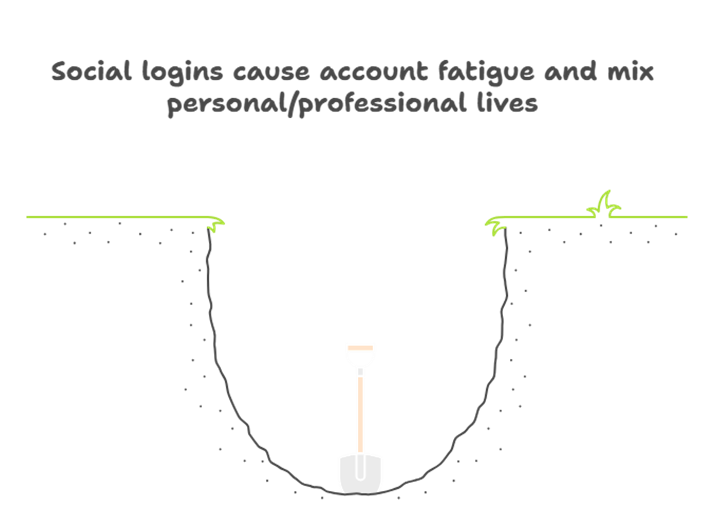
While Google and Facebook logins were a step up from manual passwords, they still don’t offer the deep, native integration that a dedicated business authenticator provides. Furthermore, relying on social accounts for business can lead to “account fatigue” where your personal and professional lives get tangled up in a web of security prompts.
Why Zoho OneAuth is a Better Experience
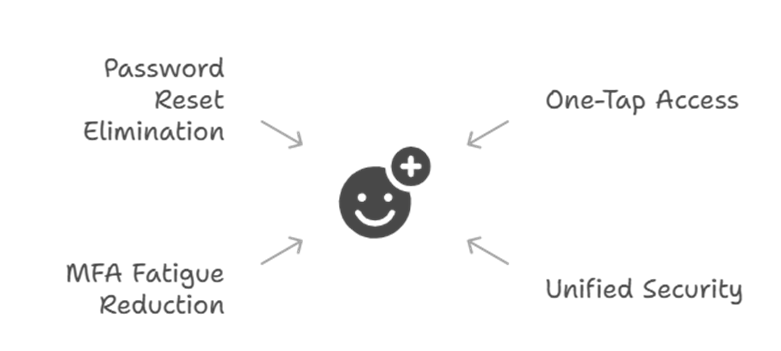
The real magic happens when you move toward a “passwordless” workflow. With Zoho OneAuth, you aren’t typing in strings of characters anymore. Instead, you get a simple push notification on your phone. You tap “Approve,” and you’re in. It’s faster, safer, and much less frustrating.
Here are a few ways it beats traditional methods:
- One-Tap Access: Instead of juggling passwords, Zoho OneAuth allows you to use biometrics (like your fingerprint or FaceID) to verify your identity. This is significantly faster than the traditional “Enter Email > Enter Password > Check Phone for SMS Code” routine.
- Unified Security: If you are already using the Zoho ecosystem, Zoho OneAuth acts as a master key. You don’t have to log in to every single app individually. Once you are authenticated, your transition between Mail, CRM, and Books is seamless.
- Ending “MFA Fatigue”: We’ve all felt that annoyance when an app asks for a code, and you have to dig through your texts to find it. Zoho OneAuth uses push-based authentication, meaning you just hit a button on your smartwatch or phone. No typing, no searching, no stress.
- No More Reset Loops: We spend hours every year resetting passwords. Because Zoho OneAuth leans on your device’s security rather than a memorized string of text, those “Forgot Password” headaches virtually disappear.
Advanced Features That Respect Your Time
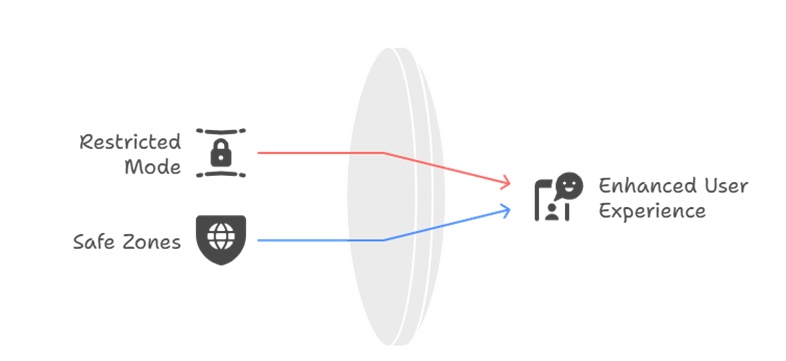
One of the most impressive parts of Zoho OneAuth is how it handles security without getting in your way. For example, the Restricted Mode allows you to lock down your account if you lose your device, but it also allows for easy recovery through a trusted secondary device.
Additionally, you can set up Safe Zones based on your IP address or location. This means if you are at the office, Zoho OneAuth knows it’s you and reduces the friction even further, while staying on high alert if someone tries to log in from a new country or an unrecognized network. It’s security that actually thinks for you.
The Shift to Modern Authentication
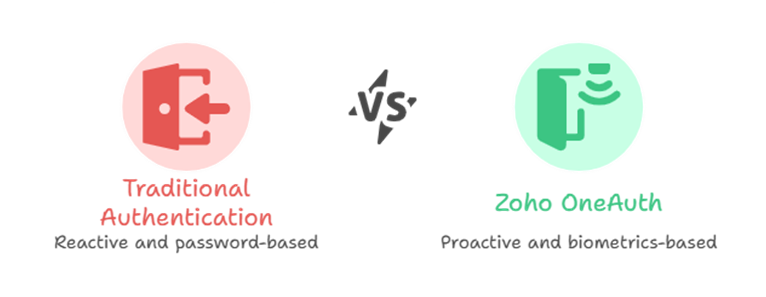
While social logins from Google or Facebook are fine for casual apps, your business data deserves something more robust. Most traditional methods are “reactive,” meaning they only act when there is a login attempt. Zoho OneAuth is proactive, offering a centralized hub where you can see every active session and terminate them instantly if something looks wrong.
By switching to Zoho OneAuth, you are essentially removing the “gate” and replacing it with a “smart door” that recognizes you instantly. It’s about moving away from the era of “What do you know?” (passwords) to the era of “Who are you?” (biometrics and trusted devices).
Frequently Asked Questions
1. Is Zoho OneAuth safer than using a standard password?
Yes, much safer. Passwords can be stolen, guessed, or leaked in data breaches. Zoho OneAuth uses your physical device and biometrics, which are much harder for hackers to replicate.
2. Can I use Zoho OneAuth if my phone is offline?
Absolutely. While push notifications need the internet, the app can generate offline one-time passwords (TOTP) just like Google or Facebook authenticators, ensuring you are never locked out.
3. What happens if I lose my phone?
Don’t worry. You can set up secondary devices or use a recovery passphrase to regain access. You can also remotely wipe your session from any computer to keep your data safe.
4. Do I have to use Zoho OneAuth for every single login?
You can customize it. With “Safe Zones,” you can tell the app not to prompt you when you are on a trusted office network, making your workflow even faster.