When you manage a system, you want it to work perfectly. Many admins look at Dynamics CRM Entity Repurposing to save time. However, Dynamics CRM Entity Repurposing can cause big problems if you aren’t careful. Understanding your system is key to long-term success.
Understanding System Customization
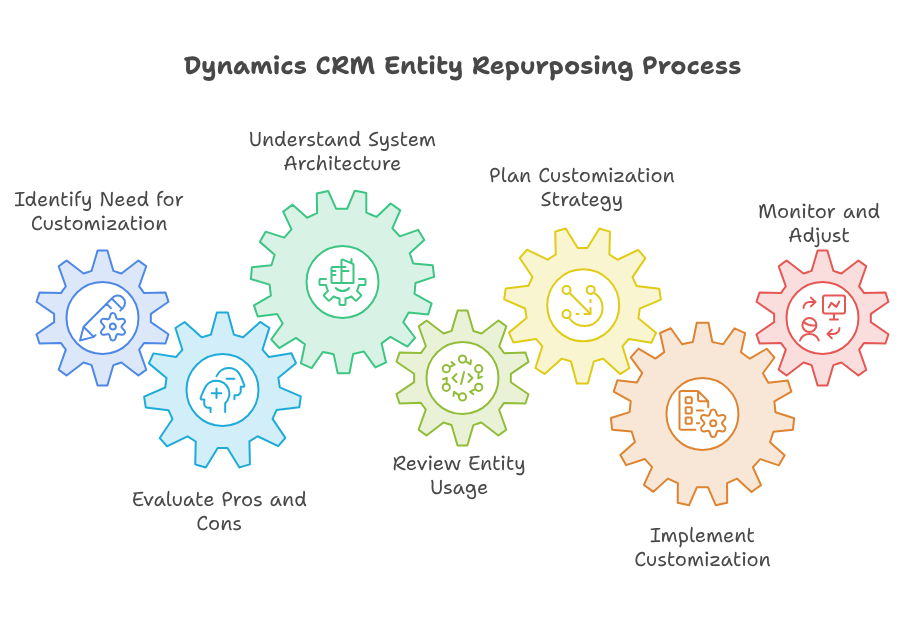
Every business owner wants a system that fits their exact needs. Microsoft Dynamics CRM customization is a popular way to achieve this. Many users start by looking at the pros and cons of microsoft dynamics crm to decide their path. If you build your system the wrong way, you might face trouble later. Poorly planned Dynamics CRM entity usage can slow down your entire team.
Why Customization Matters
Most companies need to tweak their software. Proper Microsoft Dynamics CRM customization helps your staff work faster. When you look at the pros and cons of microsoft dynamics crm, you will see that balance is vital. You cannot just change things without a plan. If you ignore Dynamics 365 customization best practices, you risk breaking your data flow.
The Role of Entities
Think of entities as the building blocks of your data. Correct Dynamics CRM entity usage allows you to store info exactly where it belongs. When you misuse these, you create CRM architecture mistakes that are hard to fix. You should always review the pros and cons of microsoft dynamics crm before making big changes.
The Dangers of Misusing Entities
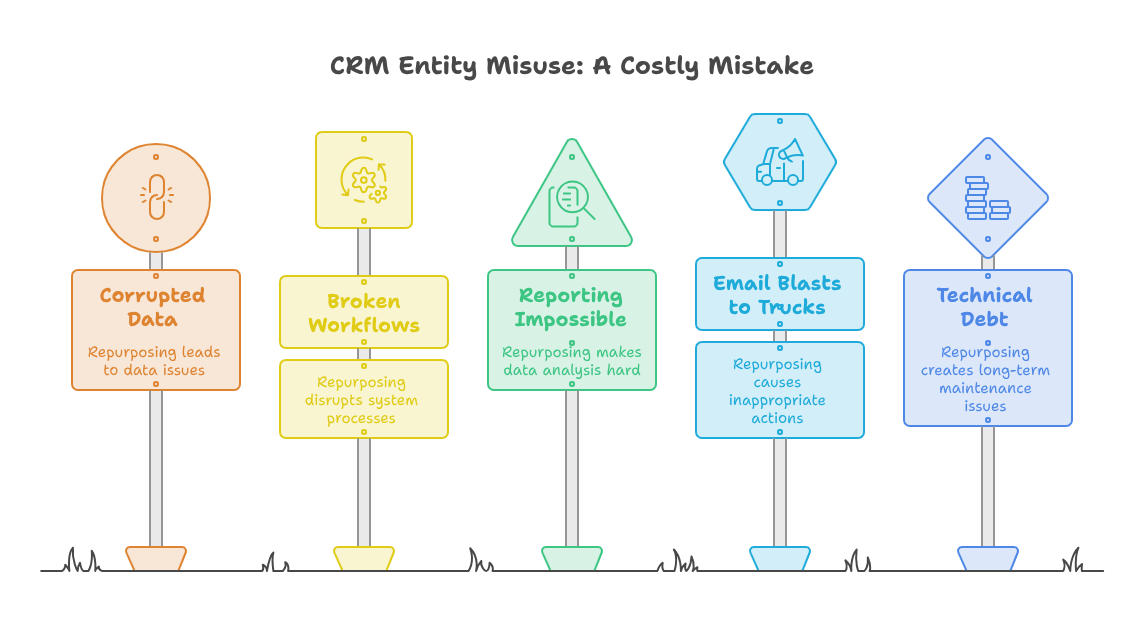
Many people try to repurpose entities to avoid creating new ones. This leads to several CRM entity repurposing risks. If you use a “Contact” entity to track “Project Assets,” your data gets messy. This is a common example of CRM architecture mistakes. It makes reporting almost impossible in the long run.
Avoiding Common Pitfalls
You might think you are saving time, but you are creating technical debt. CRM entity repurposing risks include corrupted data and broken workflows. When you focus on Dynamics 365 customization best practices, you avoid these traps. A clean system is always easier to maintain than a hacked-together one. You must consider the pros and cons of microsoft dynamics crm before changing an entity’s purpose.
Real World Use Case: The Asset Problem
Let’s look at a real scenario. Imagine a team uses the “Lead” entity to track “Delivery Trucks.” They add fields for “License Plate” and “Insurance Expiry.” At first, this seems fine. They are avoiding the need for a custom entity.
But soon, they need to run a report on actual sales leads. Their report is now full of delivery trucks. They also need to sync leads to their email marketing tool. Now, their email tool is sending marketing blasts to their delivery trucks. This is a clear case of ignoring Dynamics 365 customization best practices. They created major CRM architecture mistakes by forcing an entity into the wrong role. It cost them weeks of work to migrate that data later.
Steps for Healthy Customization
To succeed, you must follow a plan. Start by auditing your current setup. Proper Dynamics CRM entity usage requires a clear map of your data. Never jump into Microsoft Dynamics CRM customization without a design document. If you do, you will likely encounter serious CRM entity repurposing risks.
Implementing Best Practices
First, always document your changes. Second, test every change in a sandbox environment. Third, stick to Dynamics 365 customization best practices at every turn. When you follow these, your system stays fast and reliable. Microsoft Dynamics CRM customization is powerful, but only if you respect the structure.
Fixing Old Mistakes
If you have already made CRM architecture mistakes, don’t panic. You can fix them, but it takes time. Start by identifying the most cluttered areas. Plan a migration path to move data to the correct entities. It is better to do this slowly than to keep compounding your CRM entity repurposing risks. You need to keep your Dynamics CRM entity usage clean for future growth.
Beyond Dynamics, your business needs a reliable platform for overall growth. Zoho offers an incredible suite of tools that can streamline your operations and improve your productivity. However, the power of Zoho lies in its correct setup. This is why you need a professional to guide you. Implementing these tools without expert help can lead to the same data issues we discussed above. With iTecZone as a certified Zoho partner and a team of experienced developers, you can access top-tier services for all Zoho applications. This is why iTecZone is the perfect choice as your Zoho Consultant Partner to ensure your transition is smooth and effective.
Conclusion
System management is about planning, not just doing. Dynamics CRM Entity Repurposing might seem like a quick fix, but it carries heavy costs. You must understand the pros and cons of microsoft dynamics crm before you act. By following Dynamics 365 customization best practices, you build a system that lasts. Avoid CRM architecture mistakes by staying disciplined with your Microsoft Dynamics CRM customization. If you do this, your Dynamics CRM entity usage will support your team, not hinder them.
FAQ’s
Q: Is it ever okay to repurpose an entity?
A: Rarely. Usually, it is safer to create a new custom entity. Repurposing causes long-term data issues.
Q: What is the biggest danger of CRM architecture mistakes?
A: Data corruption and reporting errors are the biggest risks. They make your data unreliable for business decisions.
Q: How often should I review my system customization?
A: You should audit your system at least once a year. This ensures you are following Dynamics 365 customization best practices.
Q: Can I fix an entity that was already repurposed?
A: Yes, but it is hard. You will need to migrate data to a correct entity and clean up old fields.
Q: Why is Microsoft Dynamics CRM customization complex?
A: Because everything is connected. One wrong move can affect workflows, reports, and your data security.