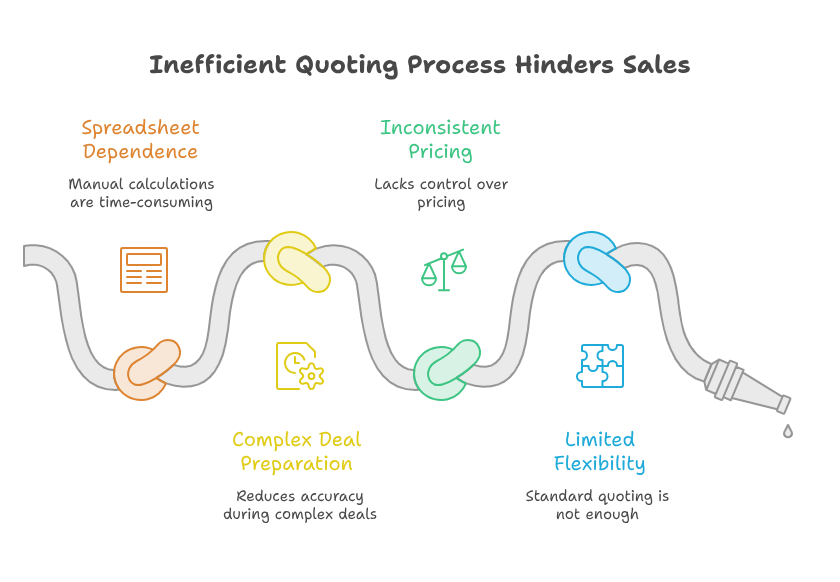
A Zoho CRM quote calculator helps sales teams prepare accurate prices without wasting time. A Zoho CRM quote calculator also reduces errors during complex deal preparation. Many businesses still depend on spreadsheets, emails, and manual calculations. However, that process slows sales and creates avoidable pricing mistakes. With the right setup, teams can calculate costs, discounts, taxes, and margins inside one system. This improves speed, control, and customer confidence during every sales conversation.
What Is a Zoho CRM Quote Calculator?
It is a customized pricing system built inside Zoho CRM. It helps sales teams prepare quotes using predefined products, rates, rules, and approval steps.
Instead of calculating every deal manually, users select the required products or services. The system then applies the correct pricing logic.
A Zoho CRM pricing calculator tool can support simple and complex sales models. It can calculate quantities, service hours, delivery charges, taxes, and discounts. It can also include bundles, subscriptions, optional items, and regional pricing.
Therefore, your team gets a faster and more consistent quoting process.
How the Quote Calculator Works
The calculator usually connects with products, deals, accounts, and quote modules. Sales representatives enter the required deal information into selected fields.
Custom functions or workflows then process the pricing data. The final amount appears inside the quote record.
An automated quote generation CRM setup can also create a document after calculation. The document may include customer details, selected products, payment terms, and expiration dates.
As a result, representatives can send professional quotes with fewer manual steps.
When Standard Quoting Is Not Enough
Zoho CRM includes useful quoting features for many businesses. However, some companies need greater control over their pricing.
Their rates may depend on volume, location, customer type, contract length, or service level. Manual pricing becomes difficult when several conditions affect one deal.
In these cases, a CPQ tool Zoho CRM setup provides greater flexibility. CPQ means configure, price, and quote.
It helps representatives configure the right solution before calculating the final price. This is useful for businesses selling connected products or tailored services.
Why Businesses Need Smarter Quote Automation
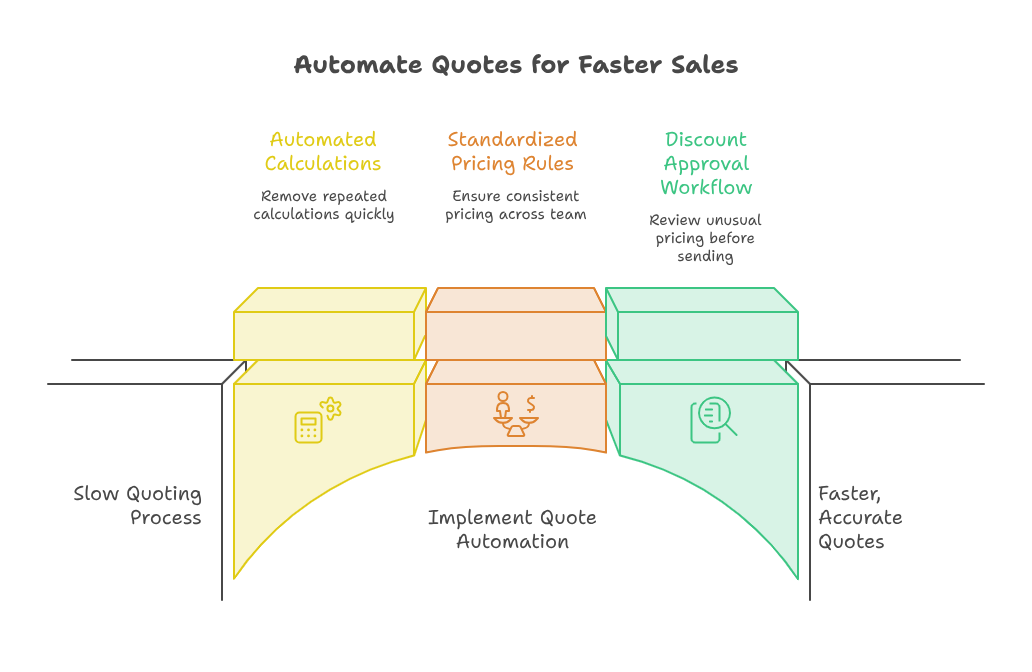
Slow quoting can cause customers to lose interest. It also gives competitors more time to respond.
Sales quote automation software helps your team act faster. It removes repeated calculations and reduces unnecessary communication between departments.
Moreover, automated pricing creates better control. Every representative follows the same approved rules.
This prevents random discounts and protects expected profit margins. Managers can also review unusual pricing before the quote reaches the customer.
Faster Response Times
Customers often compare several providers before making a decision. Therefore, a delayed quote can weaken your position.
With a structured calculator, representatives can prepare detailed pricing during the first conversation. They no longer need finance teams to check every basic calculation.
A Zoho CRM pricing calculator tool can also store common pricing conditions. The system can complete repeated tasks within seconds.
Faster response times improve the customer experience. They can also increase the chances of closing a deal.
Fewer Pricing Errors
Manual calculations can easily create mistakes. A wrong formula, missing charge, or incorrect discount can damage customer trust.
It may also reduce profit after the customer accepts the quote.
An automated quote generation CRM process uses fixed formulas and verified information. This improves accuracy across different representatives and business locations.
Furthermore, every pricing decision becomes easier to review and track.
Better Discount Approvals
Some discounts should require approval before reaching the customer. A CPQ tool Zoho CRM workflow can identify quotes outside approved limits.
It can then send the record to a sales manager for review.
This process protects pricing standards without slowing every deal. Standard quotes continue quickly, while unusual requests receive proper attention.
Consequently, sales teams gain speed without losing management control.
Important Features of a Custom Quote Calculator
A successful calculator should match your actual sales process. It should not copy a generic pricing model.
The best setup reflects your products, customers, approval levels, and business rules.
Product and Service Selection
Users should quickly select products or services from approved records. The system can display descriptions, unit prices, packages, and related options.
It can also prevent representatives from selecting incompatible products.
For complex offers, a Zoho CRM pricing calculator tool can recommend suitable bundles. This makes quoting easier for new sales representatives.
It also helps experienced team members avoid missing important items.
Automatic Discounts and Taxes
Discounts may depend on quantity, customer category, campaign, or contract length. Taxes may also vary by region or service type.
The calculator can apply these rules automatically.
Sales quote automation software can also limit unauthorized discounts. For example, representatives may receive a maximum discount level.
Higher discounts can trigger approval from a manager. Therefore, your company can protect margins without blocking normal sales activity.
Margin and Profit Checks
Revenue alone does not show whether a deal is profitable. Sales teams also need visibility into costs and expected margins.
A custom calculator can compare the selling price with the internal cost. It can then show the expected profit before approval.
Managers can also create minimum margin rules. The system can warn users when a quote falls below approved levels.
Therefore, teams can protect profitability before sending the final offer.
Automated Quote Documents
After approval, the system can create a branded quote document. It may include pricing tables, company details, terms, and acceptance instructions.
This keeps customer communication professional and consistent.
An automated quote generation CRM workflow can also email the document. It may update the deal stage and schedule a follow-up task.
These connected actions reduce manual work after quote creation.
Practical Use Case Example
Consider a software company selling licenses, implementation, training, and support. Each customer requires a different combination of services.
Pricing also changes based on user numbers and contract duration.
Without automation, the representative checks several spreadsheets. They calculate discounts, setup fees, and support charges separately.
A manager then reviews the totals before creating the document. This process may take several hours.
With a CPQ tool Zoho CRM solution, the representative selects the required package. Next, the system calculates license costs using the number of users.
It also adds implementation hours and applies the correct contract discount.
The calculator then checks the expected margin. When the margin is acceptable, the quote continues automatically.
However, a larger discount sends the record for approval.
Finally, sales quote automation software creates a branded PDF. It saves the document inside Zoho CRM and prepares an email.
The customer receives accurate pricing much faster. Meanwhile, the company keeps full control over discounts and profitability.
How to Build the Right Quote Calculator
First, understand your current pricing process. List every rule used by sales, finance, and operations.
Also identify the common reasons behind quote delays or pricing errors.
Next, organize your product and service data inside Zoho CRM. Clean records are essential for reliable calculations.
Each product should include its price, cost, tax category, and important conditions.
After that, define the calculation logic. Decide how the system should handle quantities, bundles, discounts, and approvals.
Your automated quote generation CRM process should also cover document creation and follow-up activities.
Finally, test the calculator using real sales examples. Include normal deals, unusual discounts, and complex product combinations.
Testing confirms that the system works before full team adoption.
Benefits for Sales Teams and Managers
A Zoho CRM quote calculator gives managers better visibility into pricing activity. They can review quote values, discounts, approval delays, and conversion results.
This information supports better sales planning and pricing decisions.
Representatives also benefit from a simpler process. They spend less time on calculations and more time speaking with customers.
A Zoho CRM pricing calculator tool creates confidence because approved rules already exist inside the system.
In addition, a CPQ tool Zoho CRM setup supports faster employee onboarding. New employees do not need to memorize every pricing condition.
The system guides them through the correct products, options, and calculations.
Most importantly, sales quote automation software creates a consistent customer experience. Every quote follows the same structure, branding, and approval standards.
This makes your business look more organized, responsive, and reliable.
Conclusion
Smart pricing is essential for faster sales and healthier profit margins. The right quote system improves accuracy, speed, and control.
It also replaces disconnected spreadsheets with structured pricing rules and automated actions.
A strong Zoho CRM quote calculator can manage products, discounts, taxes, approvals, and documents. It can also support complex offers and changing pricing conditions.
Therefore, teams can manage both simple and detailed opportunities with greater confidence.
Zoho can connect sales, finance, marketing, support, and operations within one business ecosystem. However, successful implementation requires proper planning and technical experience.
With iTecZone as a certified Zoho partner, you receive expert support across all Zoho applications. Our experienced developers can build, customize, and improve your pricing workflows.
Therefore, iTecZone is the right Zoho Consultant Partner for reliable and scalable business automation.
FAQs
What does a quote calculator do inside Zoho CRM?
It calculates sales prices using predefined products, quantities, discounts, taxes, and pricing rules. It can also manage approval requirements.
Can Zoho CRM generate quotes automatically?
Yes, Zoho CRM can generate quotes using workflows, templates, custom functions, and connected product records.
Is a quote calculator useful for service businesses?
Yes, service businesses can calculate working hours, packages, travel costs, setup fees, and recurring charges.
What is the difference between a quote calculator and CPQ?
A quote calculator mainly handles price calculations. A CPQ solution also guides product configuration and complex sales selections.
Can sales managers control discounts in Zoho CRM?
Yes, managers can set discount limits and approval rules. Quotes outside those limits can be sent for review automatically.
Can the system create branded quote documents?
Yes, the system can create branded PDFs using approved templates. It can also save and email those documents.
Why should businesses hire a Zoho expert?
A Zoho expert can map pricing rules and build reliable workflows. Proper implementation reduces errors and supports long-term growth.