
The modern business landscape is no longer about using isolated tools; it is about creating a unified digital ecosystem where data flows seamlessly between creative design and operational management. Imagine creating eye-catching marketing materials in Canva and then, effortlessly, deploying them within your Zoho ecosystem. Whether you’re crafting email templates for Zoho Campaigns, designing high-impact posts for Zoho Social, or building bespoke applications in Zoho Creator, the synergy between these platforms is both easy and highly effective.
Mastering Zoho means unlocking these features and simplifying your workflow through smart automation. This guide explores how to bridge the gap between design and data, providing a roadmap for business owners and developers alike.
The Zoho Ecosystem: More Than Just a CRM
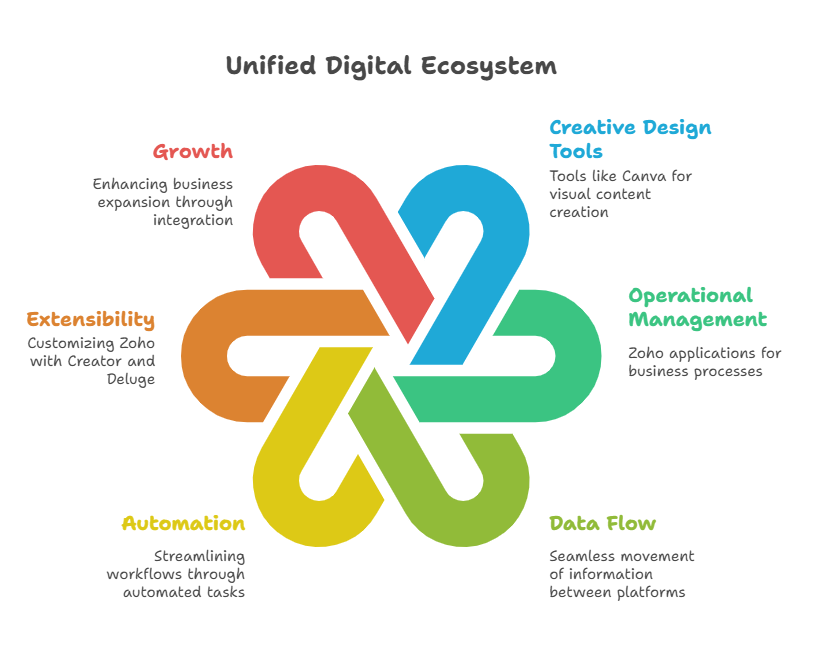
Zoho is often described as the “Operating System for Business.” With over 50 integrated applications, it covers everything from finance and HR to marketing and sales. However, the true power of Zoho lies in its extensibility. Development in Zoho isn’t just about using the software out of the box; it’s about using tools like Zoho Creator and the Deluge scripting language to tailor the environment to your specific business logic.
Why Integration is the Key to Growth
In a siloed environment, a designer creates an asset in Canva, downloads it, uploads it to a shared drive, and then a salesperson manually attaches it to a lead in Zoho CRM. This process is prone to error and consumes valuable time. By integrating these platforms, you transform a manual chore into an automated pipeline, ensuring that your branding is consistent and your data is always up-to-date.
Integrating Visual Creativity with CRM Efficiency
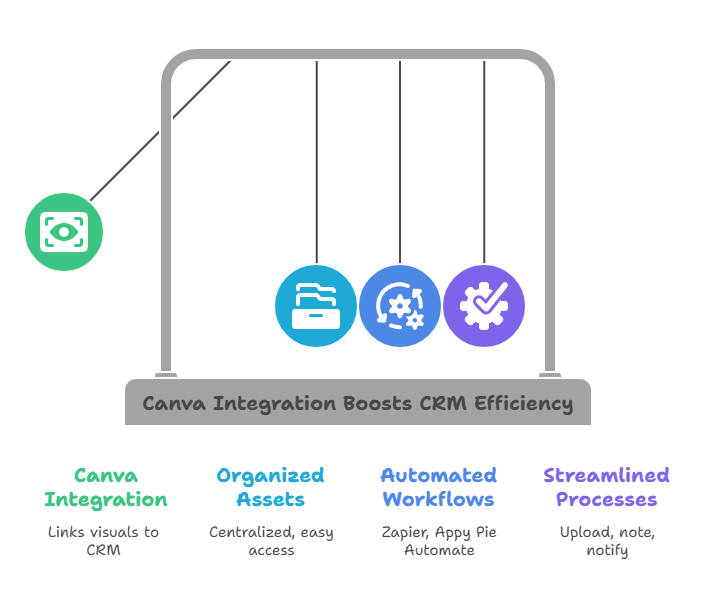
One of the most common needs for growing businesses is integrating Zoho CRM with Canva. Think about the possibilities: you can design visuals in Canva and link them directly to lead or contact records in Zoho CRM. This keeps your marketing assets organized, centralized, and easy to access for your entire sales team.
Bridging the Gap with Middleware
While a direct, native “one-click” integration between every single Zoho app and Canva is still evolving, you don’t have to wait for it. Tools like Zapier and Appy Pie Automate act as smart bridges. They allow you to build simple, automated workflows without deep coding knowledge.
For example, you can set up a “Zap” that triggers whenever a new design is moved to a specific folder in Canva. The automation can then:
- Upload the file to a specific folder in Zoho WorkDrive.
- Create a note in Zoho CRM attached to a specific Deal.
- Send a notification to the marketing team via Zoho Cliq.
Detailed Use Case: Automated Real Estate Marketing
To understand how this works in a real-world scenario, let’s look at a use case for a Real Estate agency.
The Goal: Automatically generate and organize “Just Listed” flyers for new property listings.
The Workflow:
- Data Entry: An agent enters a new property listing into Zoho CRM, including the price, address, and high-resolution photos.
- The Integration: Using a middleware tool, the entry of a “New Listing” triggers an action.
- Creative Design: The agent opens a pre-made “Just Listed” template in Canva. Because the integration is active, they can quickly pull the property details into the design.
- Automatic Storage: Once the design is finished and tagged “Complete” in Canva, the automation sends the PDF directly back to the Attachments section of that specific property record in Zoho CRM and uploads a high-res version to Zoho Social for a scheduled post.
This workflow eliminates at least 30 minutes of manual downloading, uploading, and data entry per listing, allowing the agent to focus on closing deals rather than managing files.
Deep Dive: Development via Zoho Creator and Deluge
For those looking to truly “Master Zoho,” you must look toward Zoho Creator. This low-code application development platform allows you to build custom solutions that Zoho’s standard apps might not cover.
Using Deluge for Advanced Logic
Deluge (Data Enriched Language for the Universal Grid Environment) is Zoho’s proprietary scripting language. It is the “glue” that holds the ecosystem together. With Deluge, you can:
- Write “Functions” that trigger when a button is clicked in the CRM.
- Call External APIs (like Canva’s API) to fetch design metadata.
- Perform complex calculations that sync across Zoho Books and Zoho CRM.
By mastering even basic Deluge scripts, you move from being a “user” to a “developer,” capable of building a bespoke business machine that scales with your ambitions.
The Role of a Certified Partner: iTecZone
The journey toward full business automation can be complex. While the tools are user-friendly, designing an architecture that is secure, scalable, and efficient requires experience. This is where iTecZone excels.
As your certified Zoho partner, iTecZone provides the expert help necessary to navigate the complexities of development and integration. We support you through every stage:
- Initial Setup: Configuring your Zoho environment for maximum efficiency.
- Custom Development: Writing Deluge scripts and building Creator apps tailored to your unique needs.
- Automation: Setting up smart bridges between Canva, Zoho, and other third-party tools.
- Security: Ensuring that your data remains protected as it moves between platforms.
If you’re serious about Mastering Zoho, let iTecZone guide your journey and fuel your growth. Our team ensures your Canva and Zoho integration is smooth, secure, and effective.
Conclusion
Mastering Zoho is a journey of continuous improvement. By blending the creative freedom of Canva with the robust technical infrastructure of Zoho, you create a business that is not only efficient but also visually compelling. Whether you are building simple Zaps or complex Deluge scripts, the goal remains the same: spend less time on administration and more time on innovation.
FAQ’s
Q1. Do I need to be a coder to integrate Canva with Zoho?
No. While knowing Deluge or HTML is helpful for advanced custom apps, most integrations between Canva and Zoho can be handled via middleware like Zapier or Appy Pie using a “drag-and-drop” interface.
Q2. Is my data safe when using third-party automation tools?
Yes, provided you use reputable middleware and follow best practices for API permissions. Working with a partner like iTecZone ensures that your integrations are built using secure OAuth protocols to protect your sensitive CRM data.
Q3. Can I use Canva designs directly in Zoho Campaigns?
Absolutely. Once your design is finished in Canva, you can export it and upload it to the Zoho Campaigns library. Using automation, you can even have new designs automatically appear in your Campaigns folder.
Q4. What is Zoho Creator’s role in this?
Zoho Creator allows you to build custom databases or “mini-apps.” If Zoho CRM doesn’t have a specific field or workflow you need for your Canva assets, you can build a custom module in Creator to manage your creative projects exactly how you want.
Q5. Why should I use a Zoho Partner instead of doing it myself?
A partner like iTecZone helps you avoid common pitfalls, such as creating redundant data or inefficient workflows that “break” as you grow. We provide the technical expertise to ensure your system is built correctly the first time.




