
The modern business world moves at an incredible speed. Switching between apps wastes valuable time and also kills focus. Today’s professionals need a truly integrated workspace. They need a tool that handles email, chat, and files together seamlessly. This is where Trident for Zoho Workplace steps up its game. It provides a native, unified desktop experience for both Mac and Windows users. Trident for Zoho Workplace makes your entire digital life easier. It combines all your communication tools into one simple view. This tight integration makes it a strong contender for the title of Best collaboration suite 2025.
Unlock Trident for Zoho Workplace: The Future of Business Productivity
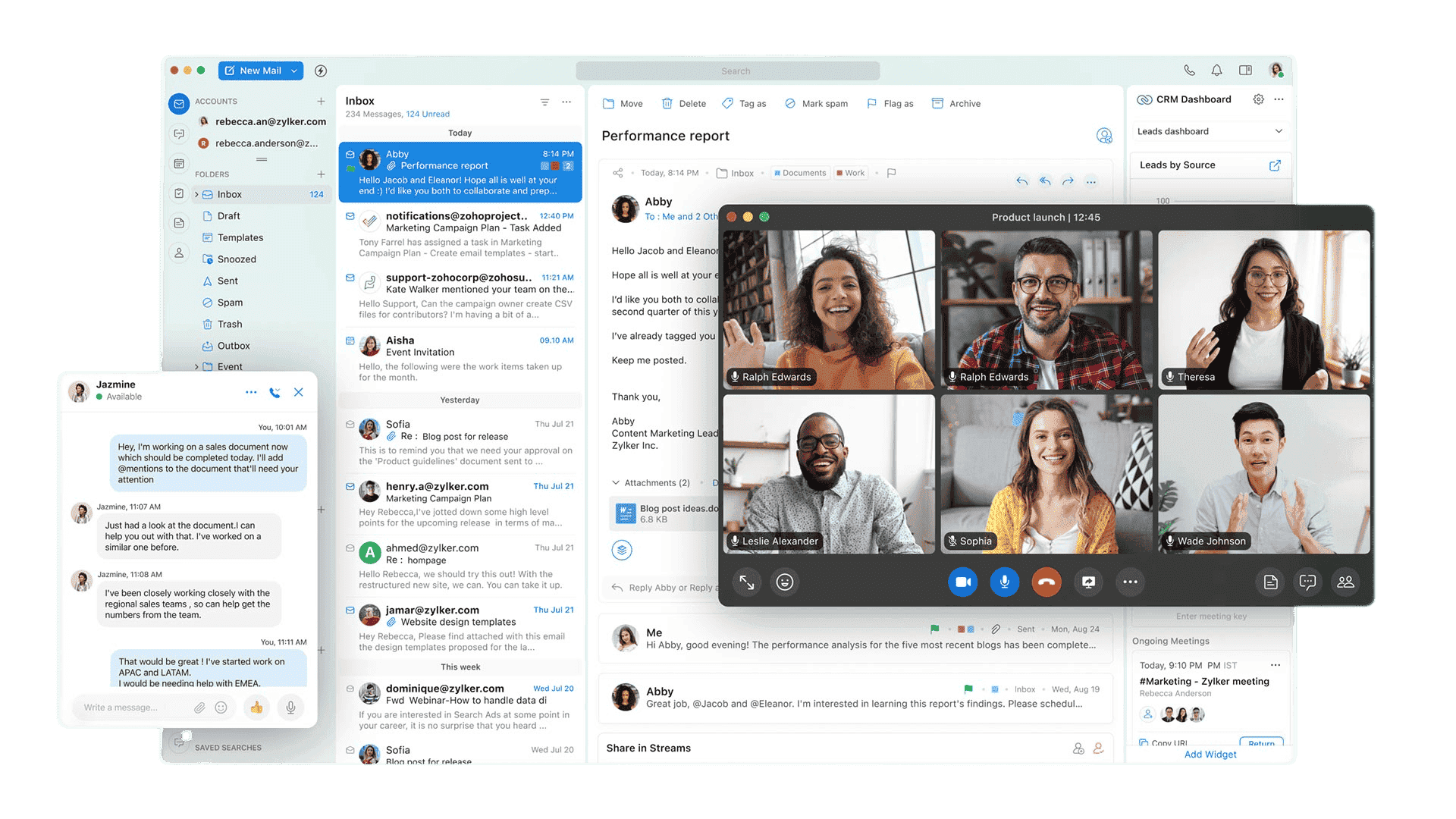
Trident is the crown jewel of the Zoho Workplace suite. It aims to eliminate context switching completely. This native application combines all your Zoho Workplace productivity tools. You get email, chat, meetings, and notes in a single window. This unified approach boosts efficiency for every team member. Trident is designed to help you work faster and with fewer distractions. It ensures a fluid and intuitive desktop experience.
Breaking Down the Unified Interface
The interface is clean and highly customizable. You can arrange your most-used tools on a side panel. This layout keeps your workspace organized and clutter-free. Users can toggle between tasks without losing their place. It feels like one large, cohesive operating system for work.
Trident Inbox Features That Supercharge Your Email Experience
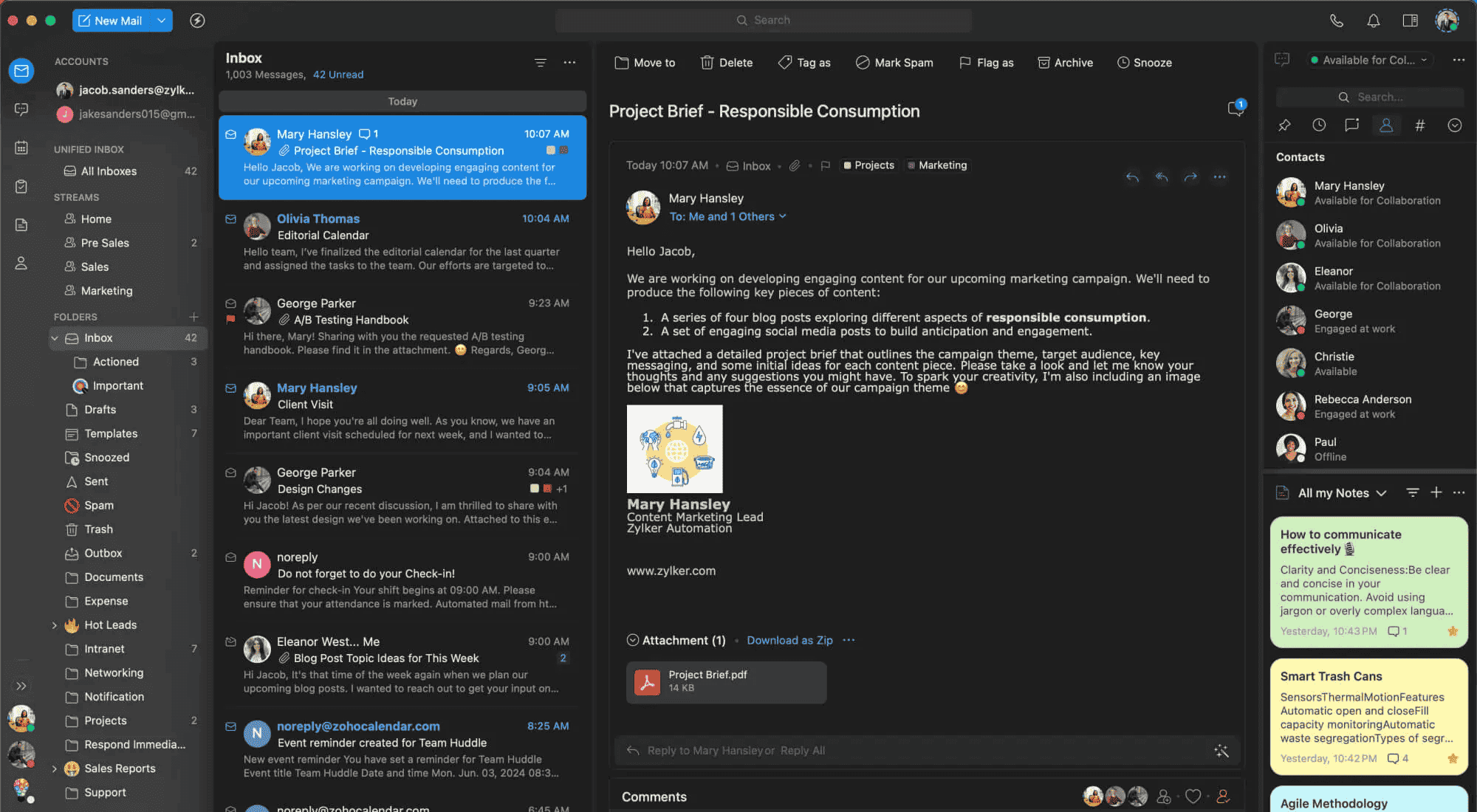
The Zoho Trident desktop app is much more than a standard email client. It offers an inbox with powerful, modern features. You can manage multiple email accounts without constantly logging in. It also lets you browse and compose emails even when you are offline. Email encryption and password protection keep your sensitive data secure.
Transforming Emails into Actions
Features like Smart Mail turn notification emails into actionable items. You can approve expenses or comment on tasks right from your inbox. This saves you from opening multiple browser tabs. It streamlines your workflow by keeping everything in one spot.
Advanced Filtering and Search
Finding information is faster with the global search tool. You can search across emails, chats, and files simultaneously. The filtering options are deep and very precise. You can find a specific attachment from a year ago in seconds.
Replace Outlook, Teams, and Zoom with Trident for Zoho Workplace
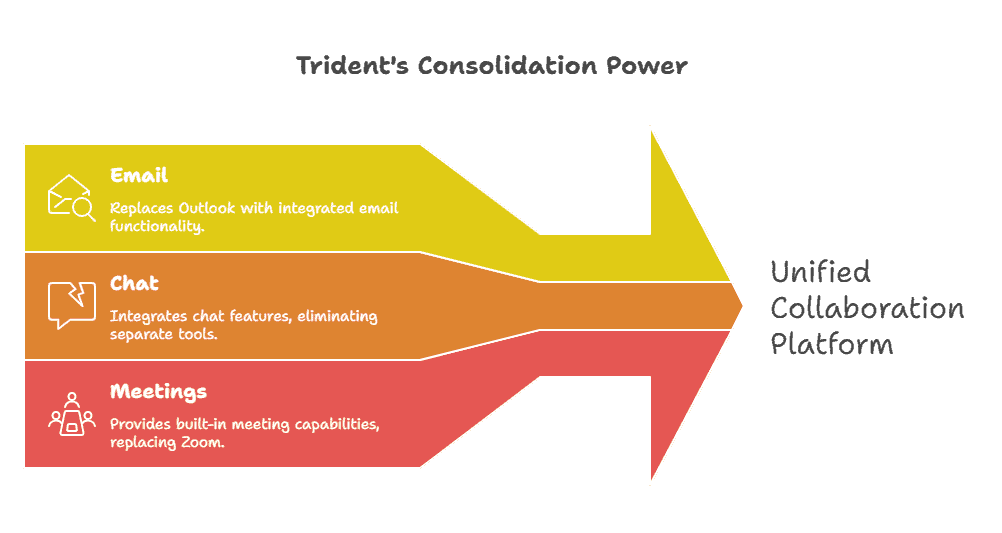
Businesses often rely on many separate, costly applications. They use one tool for email and others for chat and meetings. Trident simplifies this stack into one single, powerful platform. It includes built-in chat, calls, and meetings features. This means Trident can replace tools like Outlook, Teams, and Zoom.
Why Consolidation Matters
This consolidation is a key reason why it is the Best collaboration suite 2025. It offers high value without the hidden costs of multiple vendors. Managing one subscription is much easier for IT teams. It also reduces the learning curve for new employees. Everyone uses the same interface for every task.
Contextually Integrated Business Tools in Zoho Workplace Trident
Trident excels by integrating business apps directly into your workflow. Widgets allow you to interact with tools like Zoho CRM or Desk. You never have to leave your main communication screen to check on tasks.
Seamless Data Movement
Smart Flow lets you drag and drop files between apps easily. You can move an email attachment straight into a Cliq chat. This level of contextual integration keeps you focused on results. It greatly improves team agility and project speed.
Enhancing Team Synergy
Teams can collaborate on documents while chatting in the same window. There is no need to send links back and forth. Real-time updates ensure everyone stays on the same page. This prevents errors and duplicate work across the company.
Use Case: How a Global Marketing Agency Scaled with Trident
Imagine a busy marketing agency managing fifty different clients. Before using Trident, their team felt completely overwhelmed. They spent hours searching through messy Outlook folders. They also jumped between Zoom calls and Slack messages constantly. Important client feedback often got lost in the shuffle.
The Transformation
The agency switched to Trident for Zoho Workplace in early 2025. They used the Zoho Mail migration guide to move their data. Immediately, the creative team saw a huge boost in focus. They began using the Cliq integration for quick internal feedback. They used the CRM widget to update lead statuses during meetings.
The Result
Client response times improved by forty percent within two months. Account managers no longer missed critical task updates. The agency saved thousands of dollars by cancelling separate software subscriptions. Trident became the central nervous system of their entire operation.
Your Step-by-Step Roadmap to Trident for Zoho Workplace
Getting started with Trident is very straightforward for Zoho users.
Step 1: Check Your Subscription
First, ensure you have an active Zoho Mail or Zoho Workplace plan. Trident is included in these professional bundles.
Step 2: Download and Install
Next, download the Zoho Trident desktop app for your operating system. It supports both macOS and Windows platforms perfectly.
Step 3: Initial Setup
Install the application and sign in with your Zoho account details. The app will immediately sync your email, contacts, and calendar data.
Step 4: Explore Integrations
You will gain instant access to Cliq, Calendar, and Tasks within Trident. Take a moment to configure your custom widgets.
Step into the Future of Work with Trident for Zoho Workplace
Trident represents a shift toward intelligent, unified workspaces. It uses powerful features like Smart Assistant and Smart Mail. These functions help you execute tasks using simple natural language commands.
Embracing Next-Gen Innovation
Embracing Trident means adopting truly next-generation Zoho Workplace productivity tools. This platform is built for the complex demands of the hybrid workplace. It ensures your team remains connected, secure, and highly productive. It adapts to your specific style of working.
Why Businesses Are Switching to Zoho Workplace in 2025
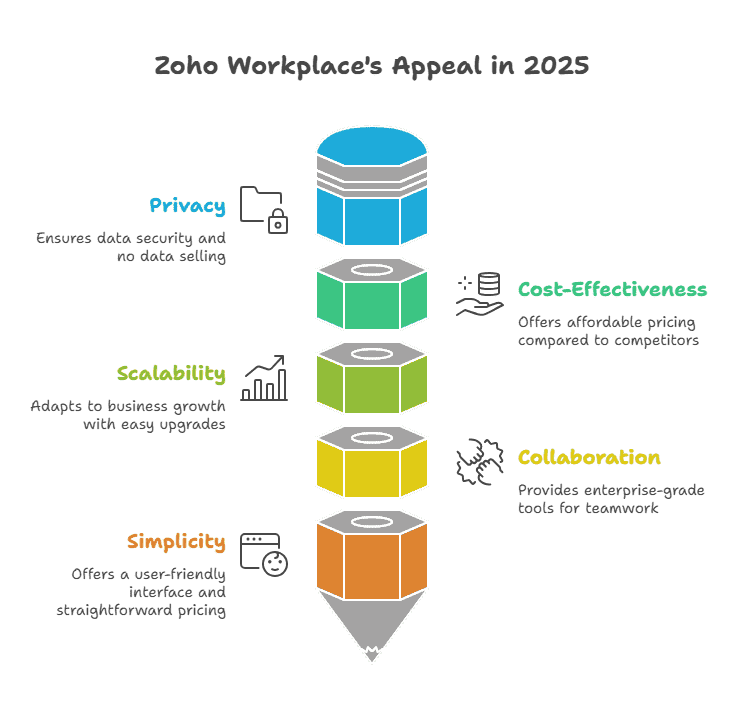
Many businesses are tired of the complicated pricing of Big Tech. They also worry about the data practices of large corporations. Zoho Workplace offers a private, secure, and cost-effective alternative.
Privacy as a Priority
It bundles essential tools at an unmatched price point. Zoho does not sell your data or use it for advertising. This commitment to privacy is highly valuable today. The entire suite, including Trident, provides enterprise-grade collaboration features.
Scalability for Growth
Zoho grows alongside your business easily. You can add users and upgrade storage with a few clicks. The platform remains stable even with thousands of employees. It is a reliable partner for long-term business success.
Trident vs Microsoft 365 and Google Workspace: Which Is Better?
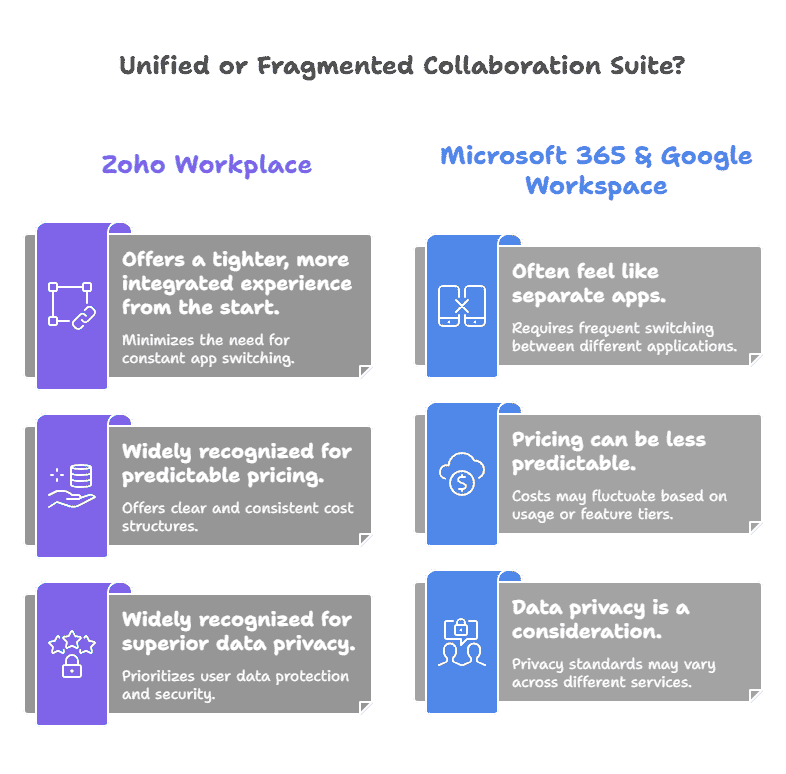
When looking at Zoho Workplace vs Microsoft 365 or Google Workspace, key differences emerge.
Unified vs Fragmented
Zoho offers a tighter, more integrated experience from the start. Microsoft 365 and Google Workspace often feel like separate apps. Trident’s deep integration minimizes the need for constant app switching.
Global Recognition
Zoho is widely recognized for superior data privacy and predictable pricing. Many experts now consider it the Best collaboration suite 2025. For organizations prioritizing unity and value, Zoho is the clear winner.
How to Migrate from Outlook or Gmail to Zoho Trident
Transitioning your team is simple, thanks to the Zoho Mail migration guide. Zoho provides robust, built-in migration tools. These tools help you move data from platforms like Outlook or Gmail.
Secure Data Transfer
You can transfer emails, contacts, and calendar events securely. The process allows for selective migration based on date range. You can also choose to move specific folders only.
Zero Downtime
This ensures a stress-free transition with zero data duplication. Your team can continue working during the migration process. It means your team can adopt Trident smoothly and quickly.
The shift to fully integrated communication is necessary for business growth. Choosing Zoho Workplace gives your company a competitive edge. It provides advanced collaboration features backed by a privacy focus. However, implementing and customizing a full suite requires expert help. With iTecZone as a certified Zoho partner and a team of experienced developers, you can access top-tier services for all Zoho applications. This is why iTecZone is the perfect choice as your Zoho Consultant Partner. We ensure the platform is tailored perfectly to meet all your business goals.
FAQ’s
Q: What is the main difference between the Zoho Trident desktop app and the Zoho Mail web version?
A: Trident is a native desktop application for Mac and Windows. It integrates your Mail, Cliq, Calendar, and Notes into one app. It also offers essential offline access capabilities.
Q: Can I use my existing Gmail or Outlook accounts inside Trident?
A: Yes, you can add external email accounts to your Zoho Mail settings. Once configured, you can access and manage them within the Trident interface.
Q: Does Trident replace the need for separate calling and meeting apps?
A: Yes, Trident integrates Zoho Cliq for chat and Zoho Meeting features. This allows you to host audio calls, video calls, and screen sharing all within the single app.
Q: How does the Zoho Mail migration guide handle large amounts of data?
A: Zoho’s migration tools are designed to handle bulk transfers efficiently. They allow for user mapping and often permit a delta migration pass. This catches any emails received during the initial transfer period.
Q: Is the Zoho Workplace vs Microsoft 365 comparison mainly about price?
A: No, it is also about deep integration and privacy philosophy. Zoho offers a better price, stronger data privacy, and a more natively unified user experience.
Q: Is Trident available on mobile devices?
A: Trident is currently a native desktop application for Windows and Mac. Zoho’s mobile apps handle communication on the go.





