
If you are currently looking for a better way to work, you might be asking: What Is Zoho Connect? Many managers often wonder, What Is Zoho Connect, specifically because they want a better office environment. Work life has certainly changed for everyone recently. Teams are no longer sitting in one single building together. Furthermore, people now work from home or even from local cafes. As a result, this shift creates big communication problems for many growing businesses. Emails pile up in your inbox constantly. Consequently, important files often get lost in deep, messy threads. You clearly need a system that brings your team together effectively. A digital workspace is, therefore, the best solution for this issue.
Understanding the Need for Better Collaboration
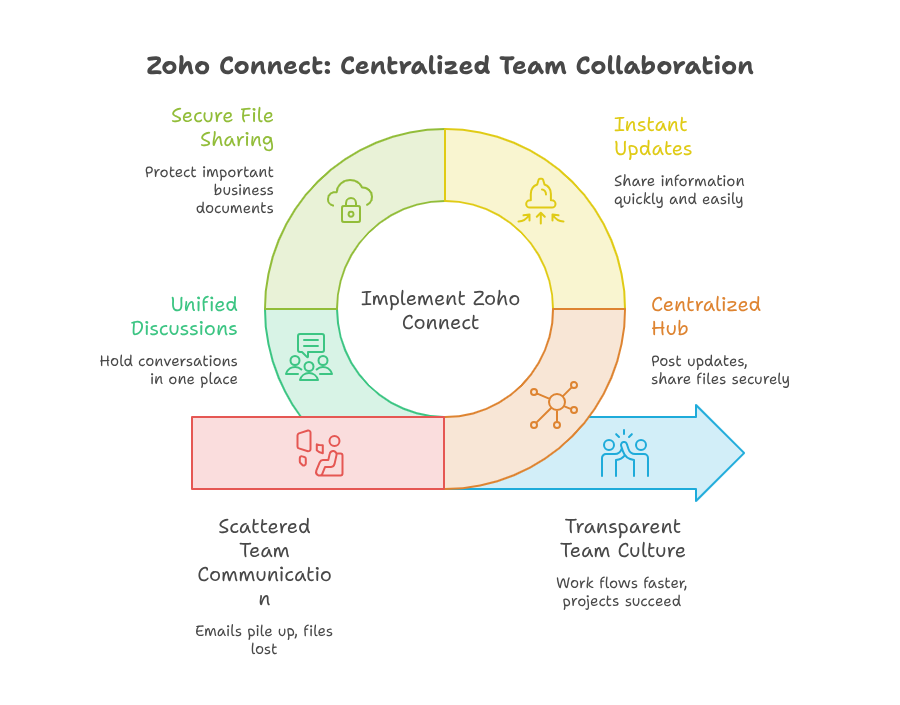
Managing a modern team is quite difficult. You need to keep everyone on the same page daily. When information is scattered, projects often fail. Likewise, people frequently miss important deadlines. This is where a Zoho collaboration tool becomes your absolute best friend. It acts as a central hub for your entire business.
For instance, you can post updates instantly. Additionally, you can share files securely. You can also hold discussions in one place. Think of it as a private social network built for your company. It is not just about simple chatting, though. Instead, it is about building a culture of true transparency. When everyone can see what is happening, work flows much faster.
A Closer Look at the Platform
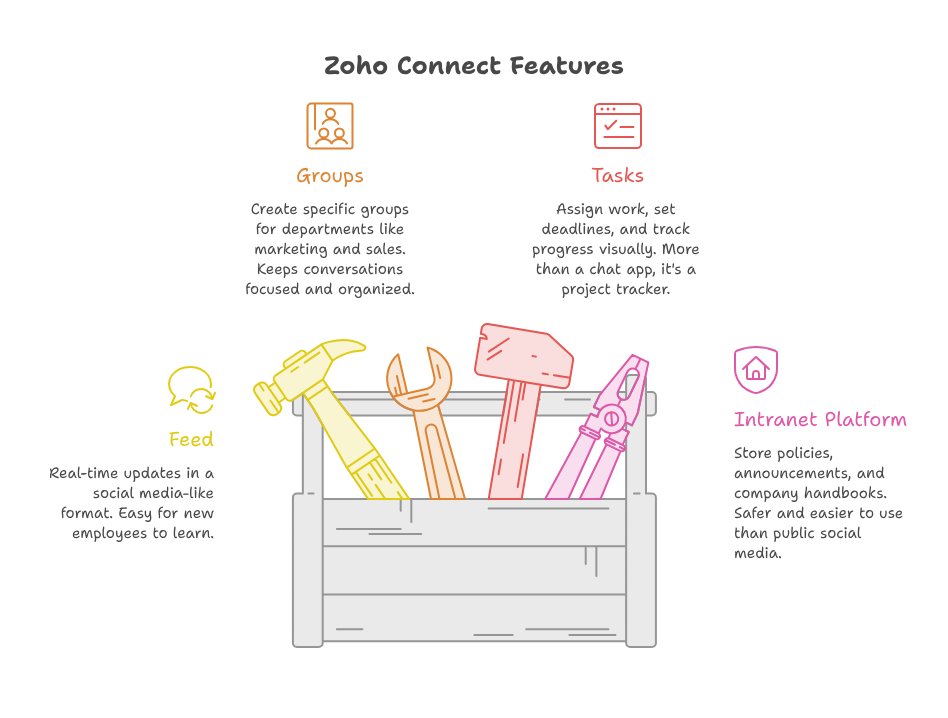
You might wonder if this software really fits your unique needs. Thankfully, the Zoho Connect features are very practical for any office. They are purposely designed to save you time. One of the main Zoho Connect features is the “Feed.” This is where you see all recent updates in real-time. It looks like a familiar social media wall. Because of this, even new employees learn it very quickly.
Another big part of the Zoho Connect features is the “Groups” function. You can easily create groups for specific departments. For example, your marketing team can have a dedicated group. Meanwhile, your sales team can have their own space. This structure keeps conversations focused. Consequently, you will not see unrelated chatter in your important project threads.
The software also offers “Tasks.” You can assign work to team members directly. You can set deadlines easily. Moreover, you can track progress visually. This turns the platform into more than just a chat app. It acts as a full project tracker. The list of Zoho Connect features is long. You can customize them based on your exact needs.
Using it as a Zoho Connect Intranet Platform
Many companies desperately need a place to store policies. They also need a place for announcements. A Zoho Connect intranet platform is perfect for this purpose. It is much safer than public social media. Additionally, it is easier to use than a complex internal server.
As a Zoho Connect intranet platform, it offers a custom dashboard. You can pin important links there. You can add company handbooks for easy access. When new employees join, they find everything they need in one spot. Using it as a Zoho Connect intranet platform saves your HR team a lot of time.
You do not need to send constant emails about office updates. Just post it on the board. Everyone sees it instantly. This is why many firms choose it as their primary Zoho Connect intranet platform. It really makes daily office life much smoother.
Real-World Example: A Growing Marketing Agency
Let us look at a real use case. Imagine a marketing agency with twenty employees. Half of them work from home. Previously, they struggled with missed deadlines. They could not track client feedback properly.
They eventually decided to use this Zoho collaboration tool. They set up groups for each client project. Later, they uploaded all client briefs into the file section. When a designer finished a task, they posted it in the group. The project manager could give feedback right there.
Communication became instant. Nobody had to wait for an email reply. They finished projects ten percent faster in the first month. This is the power of using a solid Zoho collaboration tool. It removed the confusion of email threads. Indeed, using a Zoho collaboration tool creates better results.
Following a Simple Zoho Connect Guide
Setting up the system might seem hard. However, it is quite simple. If you follow a Zoho Connect guide, you will finish quickly. First, you set up your company portal. Next, you invite your team members.
A good Zoho Connect guide will tell you to organize your groups early. Do not dump everyone into one group. That creates noise. Instead, make specific spaces for specific needs. Another tip from any Zoho Connect guide is to use the task feature immediately. It helps people get into the habit of tracking their work.
If you are lost, a Zoho Connect guide will help you find the settings you need. It is all about starting small and expanding as you learn. Using a Zoho Connect guide keeps the process frustration-free. It helps your team adopt the tool faster.
Why This Tool is the Best Choice
There are many software options out there. But most are too expensive. Some are too hard to use. This Zoho collaboration tool strikes a perfect balance. It is affordable for small businesses. Conversely, it is powerful enough for large companies.
You can also connect it with other apps. If you use Zoho CRM, it syncs well. If you use Zoho Books, it works together. This is a huge benefit for your operations. You do not need to jump between windows. Everything happens in one flow.
When you use a reliable Zoho collaboration tool, you feel more in control. You can see what your team is working on. You can celebrate wins together. You can solve problems before they grow big. It is a tool for better teamwork.
Why Zoho Matters for Your Business
Using the right software is vital for growth. However, knowing how to set it up is just as important. Zoho offers many solutions. You might use Zoho CRM, Zoho Books, or Zoho Creator. When you use all of them, your business runs much smoother.
But, you often need an expert to make it all fit together. This is where iTecZone comes in. We are a certified Zoho partner. We have a team of experienced developers. We understand how to customize the system for your unique needs.
You do not want to spend months guessing how to configure things. With iTecZone as your partner, you get top-tier service. We help you implement the changes that matter. We make sure you get the most out of your investment. This is why iTecZone is the perfect choice as your Zoho Consultant Partner. We take care of the tech so you can focus on your business.
Conclusion
We have covered a lot today. You now know that this software is a powerful hub for teams. It bridges the gap between basic chat and complex project management. Whether you need a place to share news or a way to track tasks, it works.
Remember the key takeaways. Use the groups to stay organized. Use the intranet features to store your company data. Start small, follow a guide, and watch your team efficiency grow. A Zoho collaboration tool is not just tech. It is a way to make work feel better for everyone. By choosing the right setup, you can transform your business culture.
FAQ’s
Q: Is Zoho Connect free to use?
A: Zoho offers a free plan for small teams. This allows you to test the basic functions. For larger teams, you can look at the paid plans for more storage and features.
Q: Can I integrate it with other Zoho apps?
A: Yes, it integrates perfectly with the entire Zoho suite. This includes Zoho CRM and Zoho Books. It makes your workflow seamless.
Q: Is it secure for company data?
A: Yes, Zoho takes security seriously. Your data is encrypted and kept private. Only people you invite can see your company network.
Q: Do I need an expert to set it up?
A: You can set up the basics yourself. However, for a custom setup that works for your specific business, working with an expert like iTecZone is highly recommended.
Q: Can I access it on my phone?
A: Yes, there is a mobile app. You can stay connected with your team from anywhere in the world.





