Zoho CRM Books integration connects sales and accounting data within one organized system. A planned Zoho CRM Books integration reduces manual work, improves accuracy, and keeps teams updated. Sales staff can manage customers, while finance teams handle invoices and payments.
What Is Zoho CRM Books Integration?
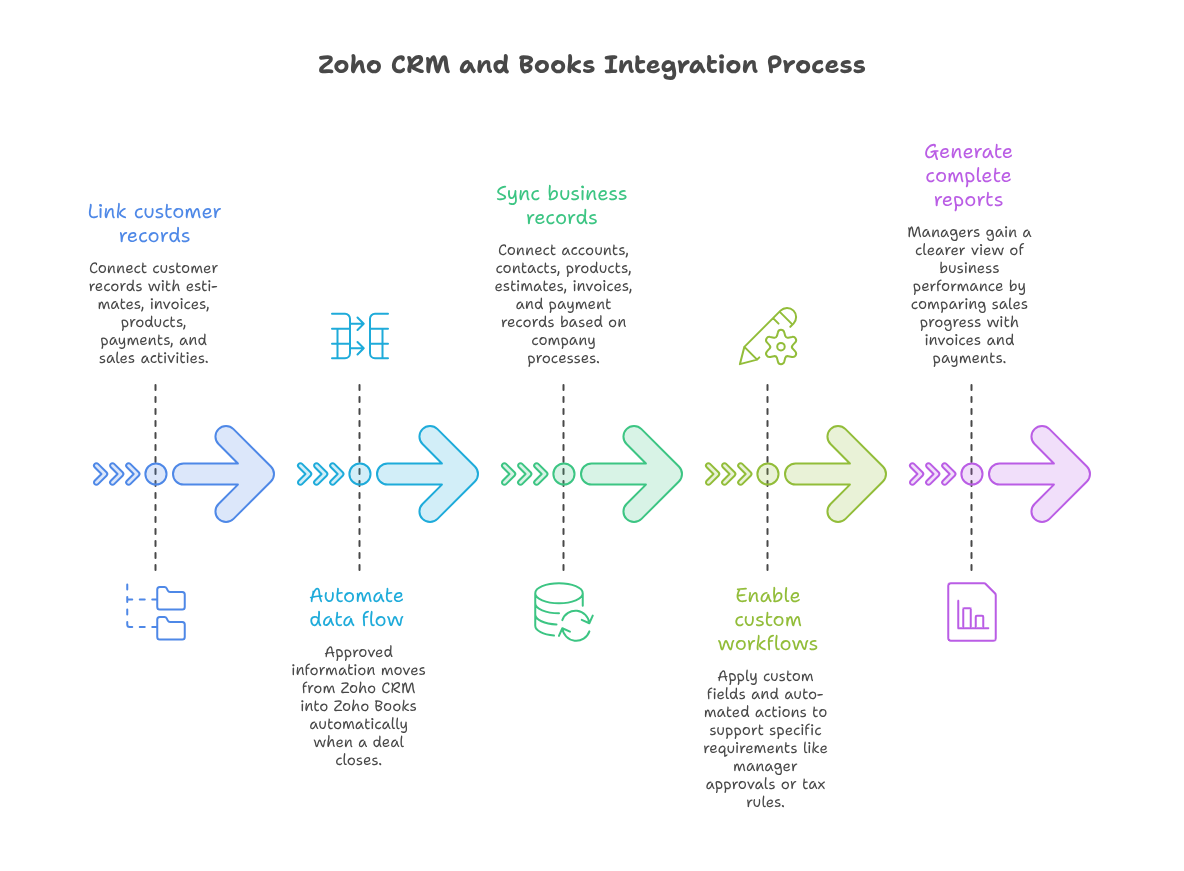
Zoho CRM Zoho Books integration links customer records with estimates, invoices, products, payments, and sales activities. It creates a smoother flow between sales and finance. When a deal closes, approved information can move into Zoho Books automatically.
This connection gives managers a clearer view of business performance. They can compare sales progress with invoices, outstanding balances, and received payments. Therefore, decisions become faster and more reliable.
How the Data Sync Works
A Zoho Books CRM sync setup can connect accounts, contacts, products, estimates, invoices, and payment records. The exact data flow depends on the company’s process. Some businesses need a simple connection. Others require a custom Zoho CRM integration with special workflows.
For example, one company may create invoices only after manager approval. Another company may apply different tax rules across several locations. Custom fields and automated actions can support these requirements.
Why Connected Data Matters
Disconnected systems often cause delays and mistakes. Sales teams may not know whether customers have paid their invoices. Finance teams may work with outdated contact or pricing information.
Zoho CRM accounting integration creates one connected workflow. Teams gain better context and spend less time requesting updates. Managers also receive more complete reports.
Main Benefits for Growing Businesses
Less Manual Data Entry
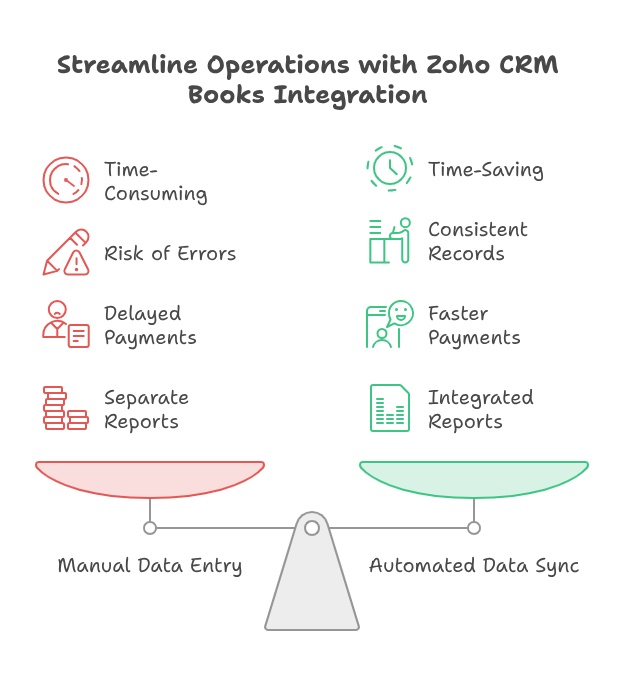
Manual data entry takes time and increases the risk of errors. Zoho automation CRM Books can move approved information between both applications. This reduces repeated work across sales, finance, and administration.
A clean Zoho Books CRM sync setup also keeps important records consistent. Customer names, addresses, products, and payment terms remain aligned. Staff can focus on customers instead of correcting duplicate records.
Faster Estimates and Invoices
Speed matters after a sale is confirmed. Zoho CRM Zoho Books integration can create estimates or invoices using approved deal information. Finance teams receive the required details without waiting for emails or spreadsheets.
This process can support healthier cash flow. Customers receive accurate invoices sooner, while payment follow-ups begin without unnecessary delays.
Better Payment Visibility
Sales representatives often need payment details during customer conversations. Zoho CRM accounting integration can display invoice status and outstanding balances inside the CRM. Representatives can answer questions without contacting finance.
Teams can also review overdue balances before offering new discounts, services, or payment terms.
Stronger Business Reporting
Separate platforms create separate reports. That makes the complete customer journey harder to understand. Zoho automation CRM Books brings sales and accounting information closer together.
Standard Setup or Custom Integration?
A standard Zoho Books CRM sync setup works well for many small businesses. It supports common records and basic invoicing workflows. However, growing businesses may need greater control.
A custom Zoho CRM integration can match unique approvals, billing methods, and reporting needs. It can also support industry-specific processes. This approach helps when standard settings cannot manage the complete workflow.
Common Customization Needs
Some businesses create invoices after project milestones. Others collect deposits before work begins. Companies may also use several currencies or payment terms.
A custom Zoho CRM integration can support these conditions. Developers can create functions, validation rules, and automation based on actual business logic.
Prepare the Data First
Integration performs better with clean information. Duplicate contacts, missing fields, and inconsistent product names can create sync problems. Teams should review existing records before connecting the applications.
A proper Zoho CRM Books integration plan includes field mapping and data validation. It also defines which application controls each record.
Practical Use Case: Service Company Billing
Consider a digital agency that manages leads and projects in Zoho CRM. The sales team closes a website development deal. Finance then needs customer, pricing, tax, and payment details.
With Zoho CRM Zoho Books integration, approved deal information moves into Zoho Books. The system creates an estimate using the selected services. After customer approval, the estimate becomes an invoice.
The agency uses Zoho automation CRM Books for reminders and payment updates. When the client pays, the status appears inside Zoho CRM. The account manager confirms payment without contacting finance.
The agency also uses milestone billing. A custom Zoho CRM integration creates separate invoices for design, development, and launch. This process reduces delays and improves accuracy.
As a result, sales, delivery, and finance teams follow the same information. Clients also receive faster and clearer communication.
Steps for a Successful Setup
Define the Business Process
Document the current sales and billing process first. Identify who approves discounts, creates estimates, sends invoices, and follows payments.
Map Important Fields
Field mapping controls how information moves between applications. Match customer details, taxes, products, prices, and payment terms carefully. Accurate mapping supports a stable Zoho Books CRM sync setup.
Build Useful Automation
Decide which actions should happen automatically. An invoice may be created after a deal reaches an approved stage. Zoho automation CRM Books should improve the process without removing necessary checks.
Test and Train
Test customers, discounts, taxes, partial payments, and cancelled deals. Then show users how records move and where updates appear. Testing and training improve trust and adoption.
Common Integration Mistakes
Some businesses connect both applications before defining their workflow. This can create duplicate records and confusing actions.
Teams must also define data ownership. Everyone should know whether Zoho CRM or Zoho Books controls specific fields.
Businesses should avoid excessive automation. Too many actions can make errors difficult to trace. Zoho CRM accounting integration should remain clear, practical, and manageable.
Conclusion
This integration connects customer relationships with everyday financial operations. It reduces manual work, improves accuracy, and provides better visibility. Teams can manage sales, invoicing, payments, and reporting through a connected process.
A successful Zoho CRM accounting integration must match the real business workflow. Standard features may cover simple requirements. Complex processes often need expert planning and customization.
Zoho CRM Zoho Books integration can make Zoho a central platform for sales, finance, service, and automation. However, success requires correct setup, testing, training, and support.
With iTecZone as a certified Zoho partner, your business gains expert support across all Zoho applications. Our experienced developers can plan, customize, and improve your complete Zoho environment. Therefore, iTecZone is the right Zoho Consultant Partner for reliable and long-term business growth.
FAQ’s
Q: Can Zoho CRM connect with Zoho Books?
A: Yes, both applications can share important customer and financial information. The final configuration depends on your workflow and data requirements.
Q: Does every business need custom integration?
A: No. A standard connection may cover simple sales and billing processes. Customization helps when workflows include special rules, approvals, or billing methods.
Q: Can the integration reduce duplicate records?
A: Yes, careful field mapping and record rules can reduce duplicates. Data cleanup before setup also improves sync quality.
Q: Why should a business hire a Zoho expert?
A: A Zoho expert can map processes, configure fields, test automation, and train users. This support reduces mistakes and improves adoption.