
Planning a change in your customer management system is a significant step for any growing business. This Zoho to Salesforce Migration Guide is designed to help you navigate the transition with minimal stress. Following a structured Zoho to Salesforce Migration Guide ensures that your data remains secure and accessible throughout the process.
Understanding the Need for CRM Migration
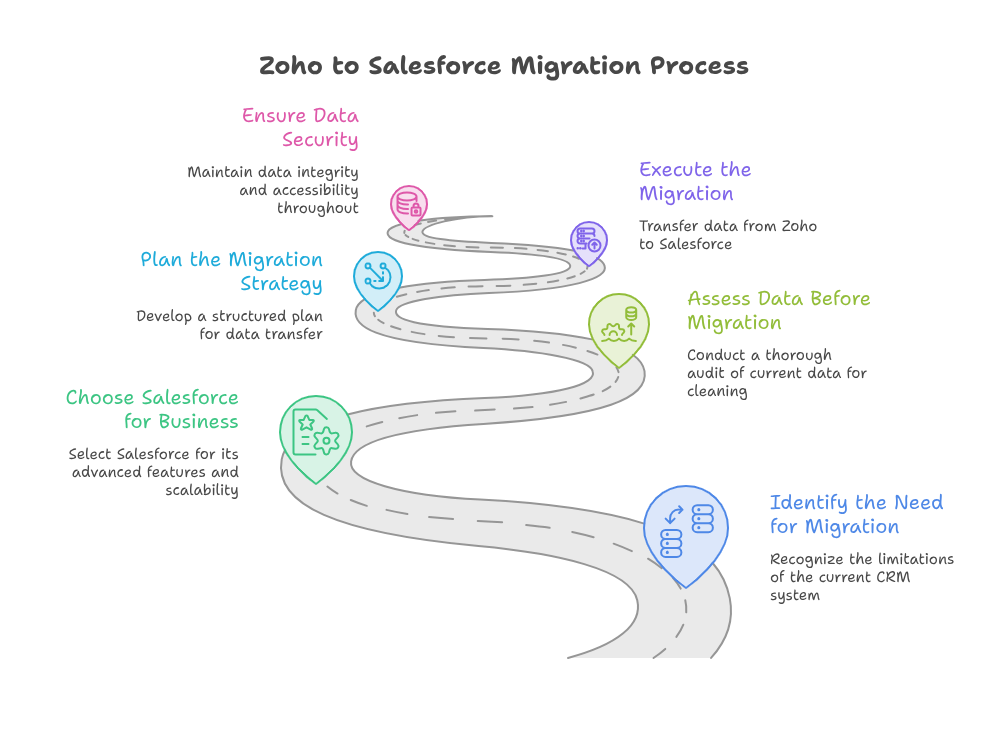
Many companies start with one tool and eventually outgrow it. You might find that your current system lacks specific features you now require. This often leads businesses to decide to migrate from zoho to salesforce to access more advanced tools. A professional Salesforce CRM migration allows your team to handle larger data volumes efficiently.
Why Choose Salesforce for Your Business
The primary driver for a Zoho to Salesforce migration is often the need for better scalability. Salesforce offers a vast ecosystem of apps and deep analytical capabilities. When you migrate Zoho CRM data, you are not just moving files. You are moving your entire history of customer relationships into a more powerful engine.
Assessing Your Data Before You Move
Before you initiate any Salesforce data migration, you must perform a thorough audit of your current information. You likely have duplicate records or outdated entries that do not need to move. Cleaning your data beforehand makes the entire process faster and much more reliable.
The Technical Side of Your CRM Transfer
The actual movement of records is a technical task that requires careful planning. Many businesses utilize specialized CRM migration services to ensure no information gets lost. A common mistake is attempting to move everything manually without a mapping strategy.
Mapping Your Fields Correctly
When you migrate from zoho to salesforce, you must map your source fields to the target fields. For example, a lead source field in Zoho might not exist in Salesforce with the same name. You must create custom fields or adjust your Salesforce architecture to match your historical data.
Example Use Case: Sales Pipeline Integrity
Imagine your sales team relies on a custom field called “Deal Probability” in Zoho. If you perform a Salesforce CRM migration without mapping this field, your sales dashboard will break. By working with experts, you map this field to a Salesforce “Probability” object. Now, your reporting remains accurate and your sales team sees no gap in their workflow. This is why a strategic Zoho to Salesforce migration is critical for maintaining your revenue pipeline.
Ensuring a Smooth Go-Live Phase
Once the technical move is finished, you still have work to do. Testing the system with a small group of users is a very smart move. This ensures that your Salesforce data migration actually reflects the reality of your operations.
Training Your Team on New Processes
After you migrate Zoho CRM data, your staff needs to know how to use the new platform. Salesforce has a different interface than Zoho, which may require a short adjustment period. Using professional CRM migration services often includes support for this training phase.
Zoho itself is a robust platform that provides immense value to many businesses. It offers a wide range of tools for sales, marketing, finance, and human resources all in one place. However, as your business requirements become more intricate, you may find that specialized implementation is the key to unlocking the true power of your software. This is where an experienced partner becomes essential. Customizing your applications, integrating your external tools, and optimizing your workflows require deep technical knowledge. With iTecZone as a certified Zoho partner and a team of experienced developers, you can access top-tier services for all Zoho applications. This is why iTecZone is the perfect choice as your Zoho Consultant Partner.
Conclusion
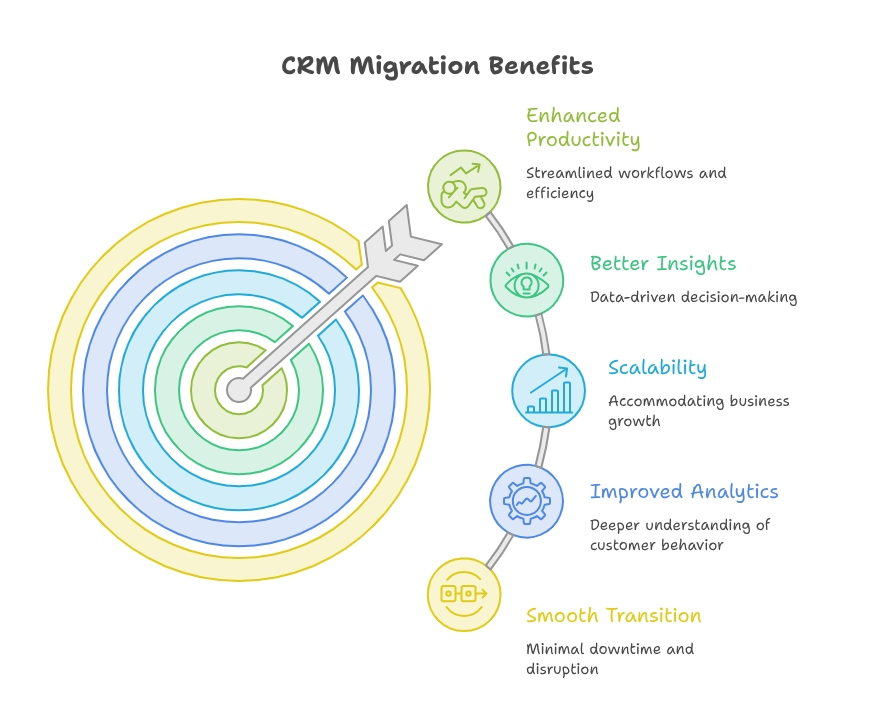
A CRM switch is a major milestone that can redefine your company productivity. While the process of moving between platforms seems complex, it pays off with better insights. Whether you choose to migrate from zoho to salesforce to scale your operations or to gain better analytics, the effort is well worth it. Proper planning, careful data cleansing, and expert technical help will keep your business moving forward without any unnecessary downtime.
FAQ’s
Q: Is it possible to lose data during a CRM migration?
A: Data loss is a risk if the process is not handled carefully. Using professional CRM migration services and performing thorough validation checks prevents this risk.
Q: How long does a typical migration take?
A: The timeline varies based on your data volume and complexity. A small system might move in days, while large enterprises might need several weeks.
Q: Can I keep my historical Zoho data available after the move?
A: Yes, you can export your Zoho data to a secure backup before you start the migration. This ensures you have a historical record even after you move to Salesforce.
Q: Do I need professional help for this transition?
A: While it is possible to do this alone, professional help is highly recommended. Experts ensure your workflows and data integrity remain intact during the shift.





