We live in an era where our entire lives are stored in the cloud. From personal photos and private conversations to business finances and client databases, our digital footprint is massive. Unfortunately, this convenience comes with a high price. Cybercriminals are more active than ever, using sophisticated phishing attacks and automated bots to crack passwords in seconds. For many, the question isn’t if they will be targeted, but when.
When you realize that a single password is the only thing standing between a hacker and your entire business operation, it becomes clear that we need a better shield. This is exactly why specialized authentication tools have become the gold standard for staying safe online. Among these tools, one specific application has been making waves for its balance of high-end encryption and ease of use. This is where Zoho OneAuth steps in. But what exactly is its main purpose, and why should it be your go-to tool for security?
The Core Goal: Multi-Factor Authentication
Source: iTecZone
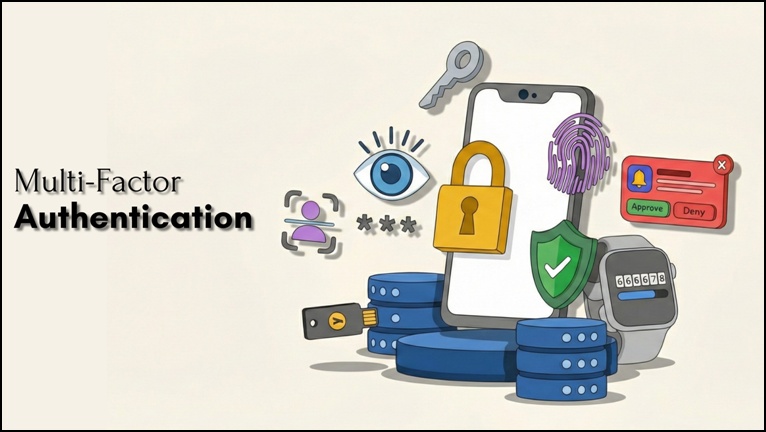
At its core, the primary goal of Zoho OneAuth is to provide a comprehensive Multi-Factor Authentication (MFA) solution. It acts as a gatekeeper, ensuring that even if someone steals your password, they still cannot access your sensitive data without a second layer of verification. By requiring a second form of ID that only you possess, it effectively shuts the door on unauthorized logins.
Strengthening Your Login Process
The biggest threat to digital security is unauthorized access. Zoho OneAuth eliminates this risk by replacing or supplementing traditional logins with more secure methods. Instead of just typing a code, you can use biometric locks like your fingerprint or Face ID, or even a simple “Push to Approve” notification on your phone.
By using Zoho OneAuth, you aren’t just adding a step to your login; you are making it nearly impossible for hackers to break into your account remotely.
All-in-One Security Management
Another key purpose of this app is convenience. Most people hate having to manage multiple authenticator apps for different services. OneAuth is designed to be a universal authenticator. While it works perfectly with the Zoho ecosystem, you can also use it to secure other popular platforms like Google, Facebook, and LinkedIn.
The app also offers a “Restricted Sign-in” feature, which allows you to lock your account when you aren’t using it. This proactive approach to security is a major reason why Zoho OneAuth is highly recommended for anyone serious about protecting their online presence.
Peace of Mind with Cloud Sync
Source: Zoho
Losing your phone often means losing access to your accounts if you use a standard authenticator. However, Zoho OneAuth solves this by offering encrypted cloud backup and sync. This means if you switch devices, you can quickly restore your accounts without the headache of manual resets. It balances high-level security with a user experience that doesn’t feel like a chore.
Frequently Asked Questions (FAQs)
1. Is Zoho OneAuth free to use?
Yes, the app is completely free to download and use. Zoho has committed to keeping this security tool free forever because they believe every individual has the right to access the internet securely.
2. Can I use OneAuth for non-Zoho accounts?
Absolutely. While it is deeply integrated with the Zoho suite, it also functions as a standard TOTP authenticator. This means you can use it to secure your accounts on Google, Facebook, Microsoft, and any other platform that supports two-factor authentication.
3. What happens if I lose my phone?
One of the best features of this app is its cloud sync and backup. As long as you have set up your encrypted backup and remember your unique passphrase, you can easily restore all your 2FA accounts onto a new device.
4. Do I need an internet connection to get an OTP?
No. While push notifications require an internet connection, the app also generates time-based one-time passwords (TOTP) that work completely offline. You can always log in even if you are in airplane mode or have a weak signal.
5. How is OneAuth different from Google Authenticator?
While both generate security codes, Zoho OneAuth offers additional features like passwordless login for Zoho accounts, biometric locks (Face ID/Touch ID), and a “Restricted Sign-in” mode that adds an extra layer of active protection to your account.