
Running a business requires smooth communication between your sales and marketing teams. Successful CRM marketing automation integration helps keep your data in one place. When you master CRM marketing automation integration, you save time and grow faster.
Many companies struggle with disconnected data. They use one tool for emails and another for sales leads. This creates gaps in your information. These gaps lead to missed deals and lost customers. You need a system that connects everything.
Why Systems Should Work Together
Most teams use many different software platforms today. You have email tools, web forms, and sales software. If these tools do not talk, you lose time.
The Value of Unified Data
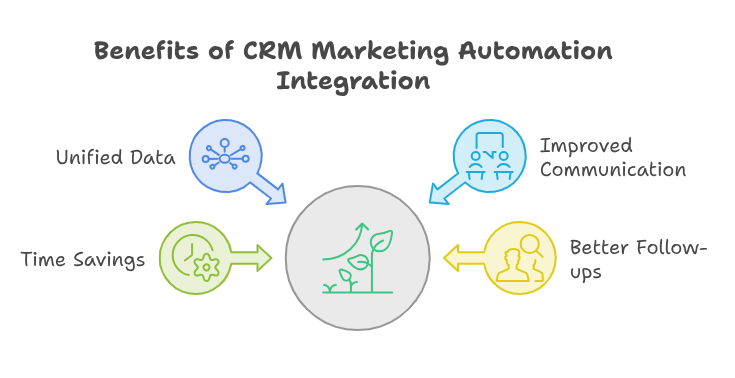
When you sync your data, you gain a clear view of your customer. Every interaction is recorded. Sales teams know what marketing content the lead read. Marketing teams know if the lead bought a product.
This level of insight allows for better follow-ups. You avoid sending repetitive emails to someone already in a sales call. Good marketing and CRM integration fixes these common issues. It makes your daily work much easier and more efficient.
Efficiency with the Right Tools
Many businesses look for top marketing automation tools to handle their tasks. These tools help you send the right message at the right time. However, they work best when connected to your database.
Using CRM automation software allows you to trigger tasks automatically. For example, you can create a new lead entry when someone fills out a contact form. This removes manual data entry for your team.
How to Integrate Your Systems
Setting up a solid connection requires careful planning. You should map out your goals before you start the tech work.
Step 1: Audit Your Current Data
First, look at your existing systems. Are your contact fields the same in both places? You need matching fields for names, emails, and phone numbers. This is one of the most important CRM integration best practices.
Step 2: Choose Your Connectors
Many platforms offer built-in connectors. If not, you might need an API or a middleware tool. Choose a solution that fits your budget and technical skills. Reliable crm integration with marketing automation platforms will save you hours of work each week.
Step 3: Test Your Workflow
Never go live without testing. Send a test lead through your forms. See if it appears in your sales dashboard correctly. Check if your automated emails trigger as expected.
Real-World Use Case Example
Let us look at an online store selling office supplies. They want to boost sales for a new desk chair.
First, they use marketing automation tools to send an email to previous buyers. The email includes a special discount code. Some customers click the link but do not buy.
The system tracks these clicks. Then, the CRM automation software creates a “hot lead” task for the sales team. A salesperson calls the lead within an hour. They offer to answer questions about the chair.
Because of the marketing and CRM integration, the salesperson has the full history. They see which email the lead clicked. The customer feels understood. They buy the chair on that call. This is the power of a smooth setup.
Best Practices for Long-Term Success
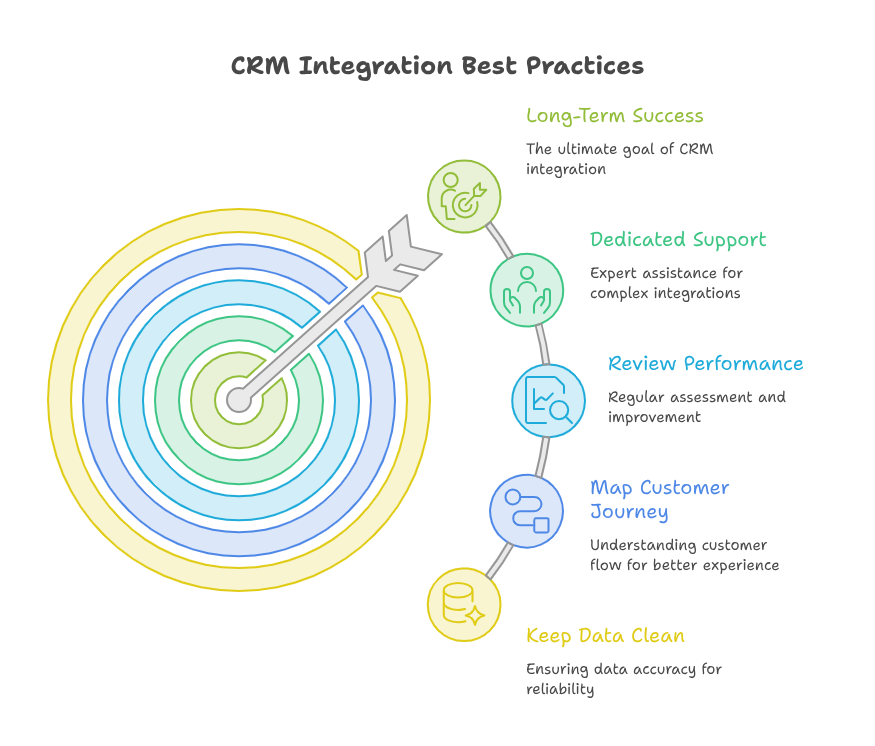
You want your integration to last for years. Follow these CRM integration best practices to stay on track.
Keep Data Clean
Your systems are only as good as your data. Remove duplicates every month. Make sure all your contact lists are current. Clean data makes crm integration with marketing automation much more reliable.
Map Your Customer Journey
Understand how a lead becomes a buyer. Map each step in your CRM. Ensure your marketing tools support these specific steps. This alignment creates a better experience for your customers.
Review Your Performance
Integration is not a “set it and forget it” project. Review your workflow every few months. Are there any errors? Can you automate more tasks? Constantly improve your marketing and CRM integration to stay competitive.
Use Dedicated Support
Integration can get complex. It often involves many moving parts. If you are not a technical expert, hire someone who is. This prevents costly mistakes in your lead flow.
The Power of Zoho
Zoho offers an amazing suite of applications for modern businesses. It provides a full ecosystem for your sales, marketing, and support teams. When you use Zoho, everything flows together naturally.
However, implementing these changes takes specific technical skills. You need an expert to map your processes and customize the modules. With iTecZone as a certified Zoho partner and a team of experienced developers, you can access top-tier services for all Zoho applications. This is why iTecZone is the perfect choice as your Zoho Consultant Partner.
Conclusion
Integrating your marketing and sales systems is vital for growth. It removes manual work and improves your customer experience. Focus on clean data and clear goals to get the best results. Whether you use complex CRM automation software or simple tools, stay organized. Use these CRM integration best practices to keep your business moving forward. A well-integrated system will always outperform a disjointed one.
FAQ’s
Q: What is the main benefit of integration?
A: Integration ensures your teams share the same data. It reduces manual work and improves lead tracking.
Q: How long does the setup process take?
A: It depends on your business size and current tools. Simple setups take days. Complex ones might take weeks.
Q: Do I need a developer for this?
A: Some tools are easy to set up. However, a partner helps you avoid mistakes and customize your workflow properly.
Q: Can I integrate legacy systems?
A: Yes, but it may require custom APIs. An expert can guide you through the technical steps.
Q: How do I measure success?
A: Look for shorter sales cycles. Also, check if your conversion rates increase after you launch the integration.





